Skip to content
Edify - Bible logoEdifyBible Study, Audio & Stories

Study the Bible deeply. Listen every day. Grow in the Lord.

Edify - Bible puts a seminary-grade study library, guided Study Plans, classic devotionals and the Audio Bible in one beautiful app — for pastors, ministers and everyone who wants to know God’s Word better.

Get it onGoogle PlayComing soon toApp Store
  • Free to download
  • Works offline
  • Phones & tablets
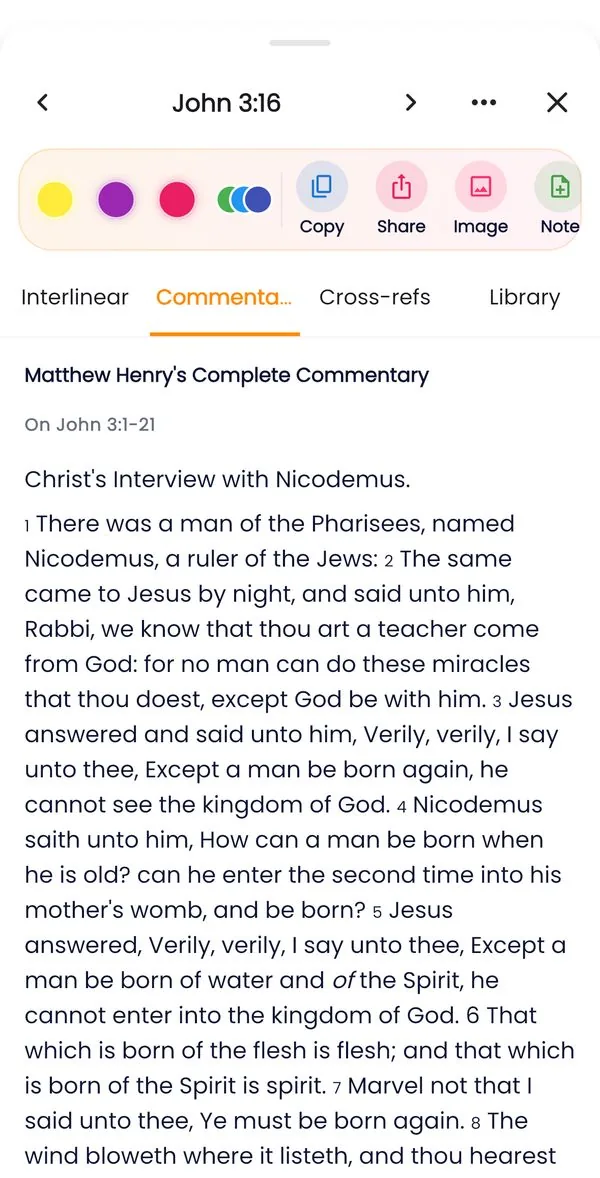
Study panel Commentary tab showing Matthew Henry’s Complete Commentary on John 3
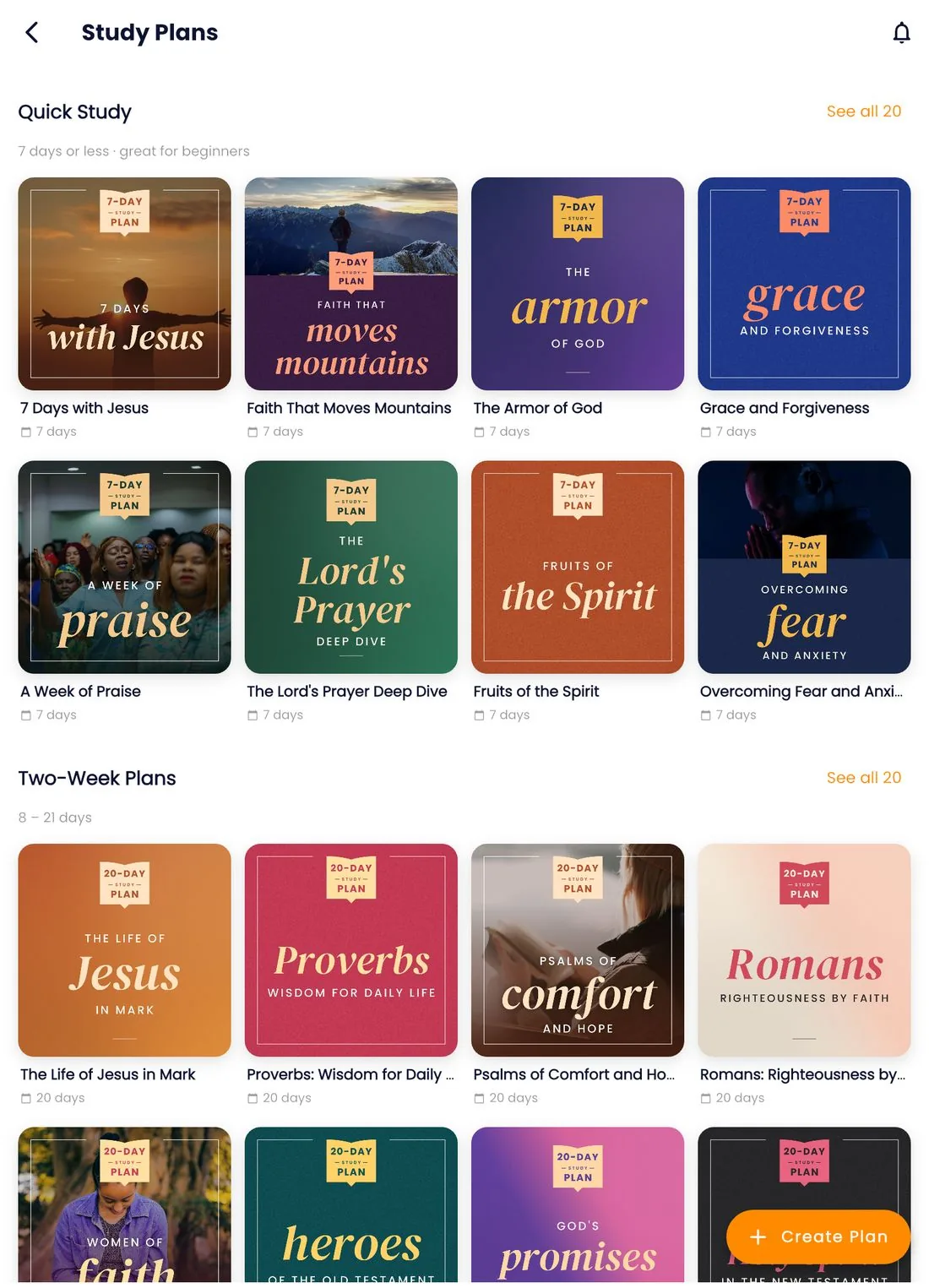
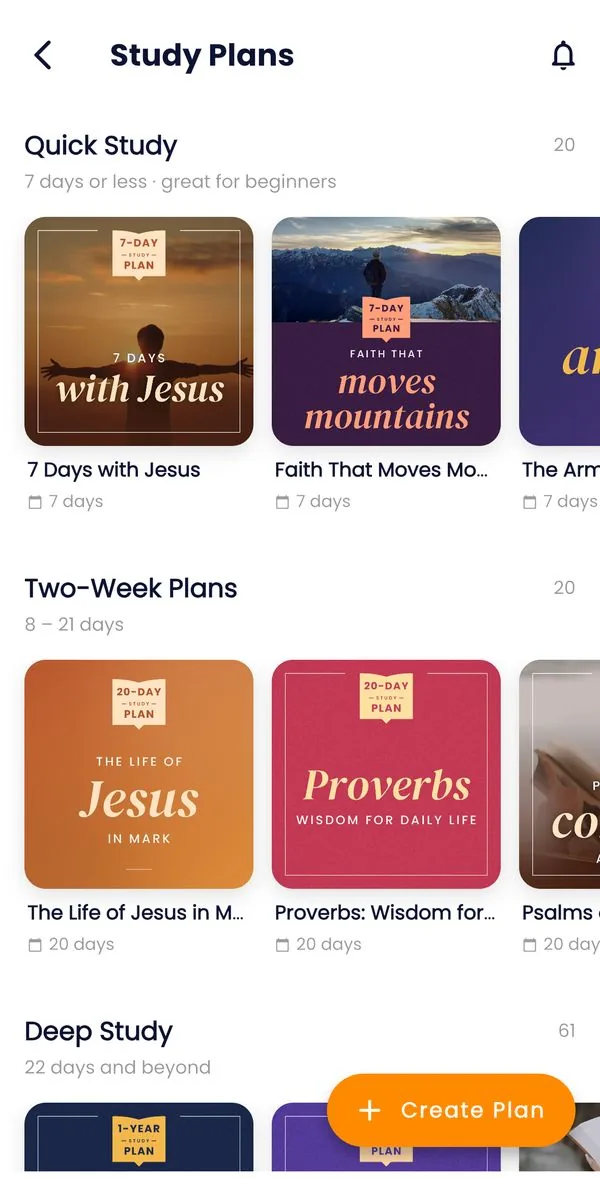
Study Plans tab with plan covers grouped into Quick Study, Two-Week Plans and Deep Study
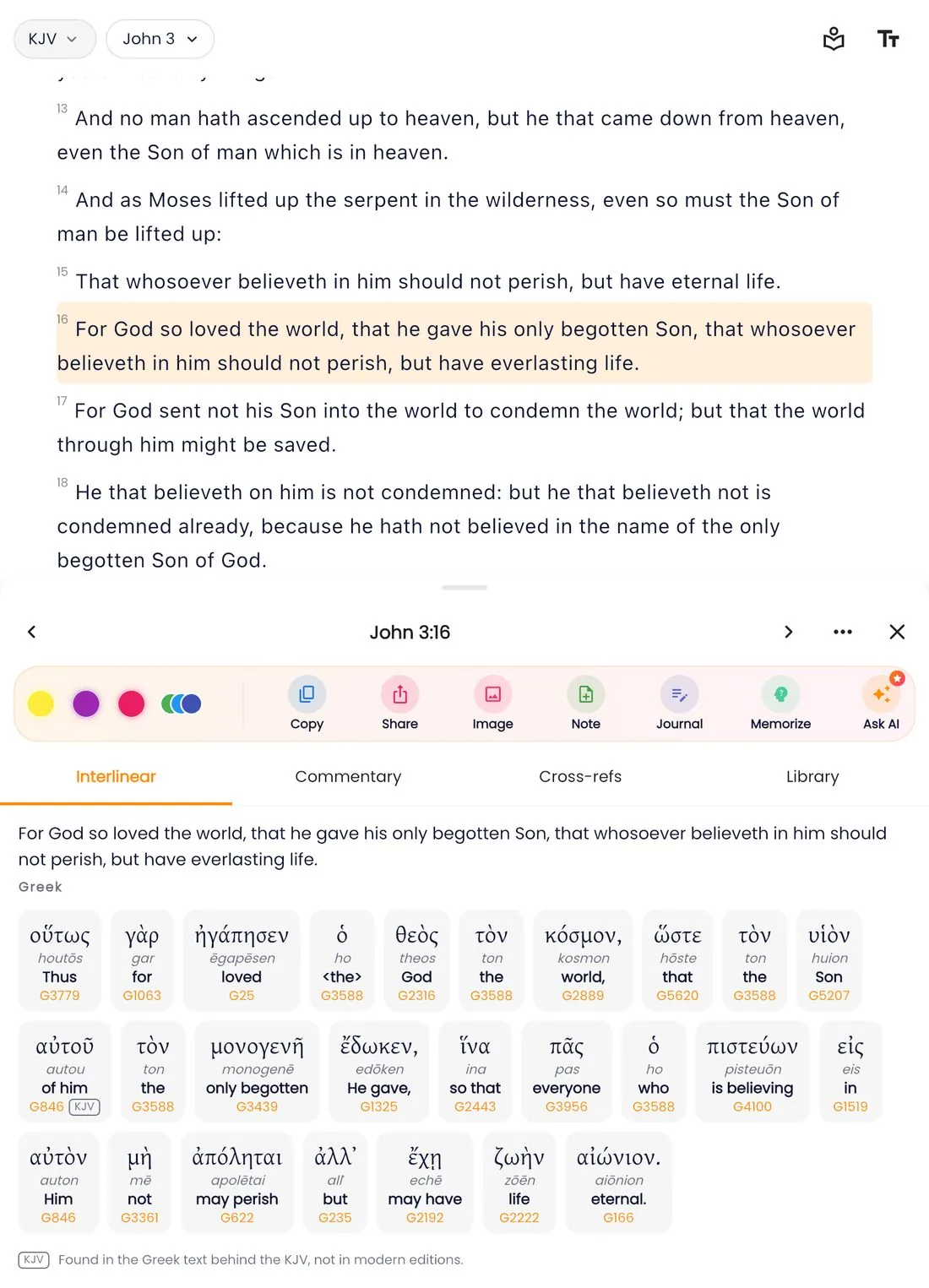
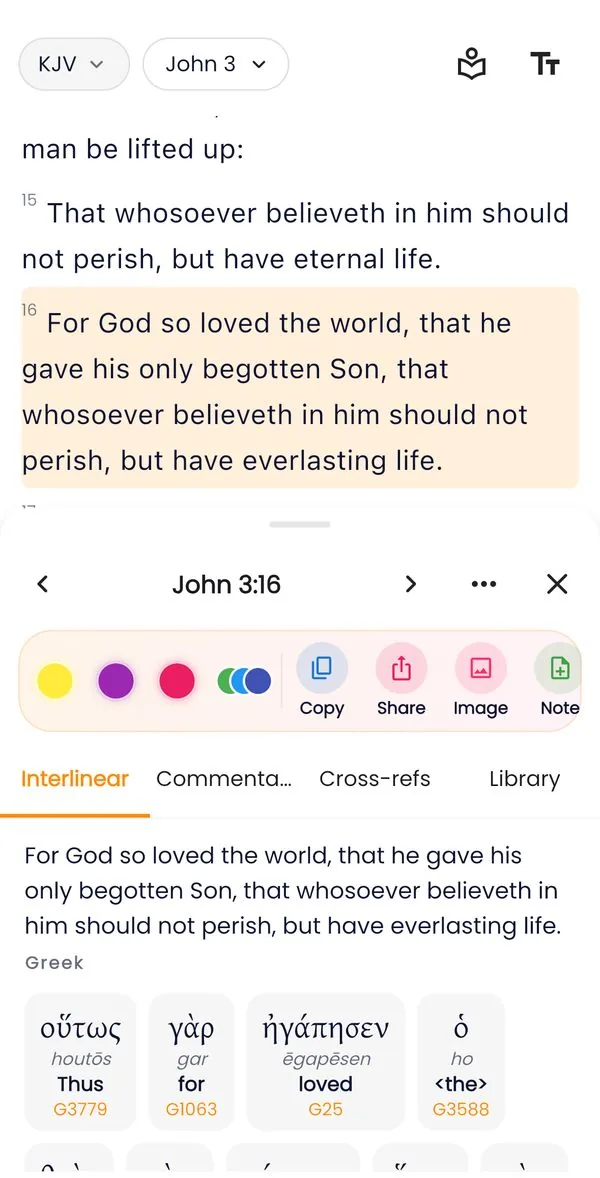
John 3:16 in the Edify reader with the study panel open on the Interlinear tab: each Greek word with its transliteration, meaning and Strong’s number

Original Greek & Hebrew

19Bible translations
648Bible & faith stories
100+Study Plans
4classic commentaries
3original languages
What is Edify?

One app to read, study, listen and grow

Edify - Bible is a complete Bible study companion. It joins the tools that used to fill a pastor’s shelf — original-language texts, lexicons, concordances, commentaries, topical indexes and Bible dictionaries — with the daily habits that help every believer grow: reading plans, devotionals, journaling, Scripture memory and listening.

Read

A clean, fast Bible reader in 19 translations, with highlights, notes, bookmarks, verse comparison and shareable verse images.

Study

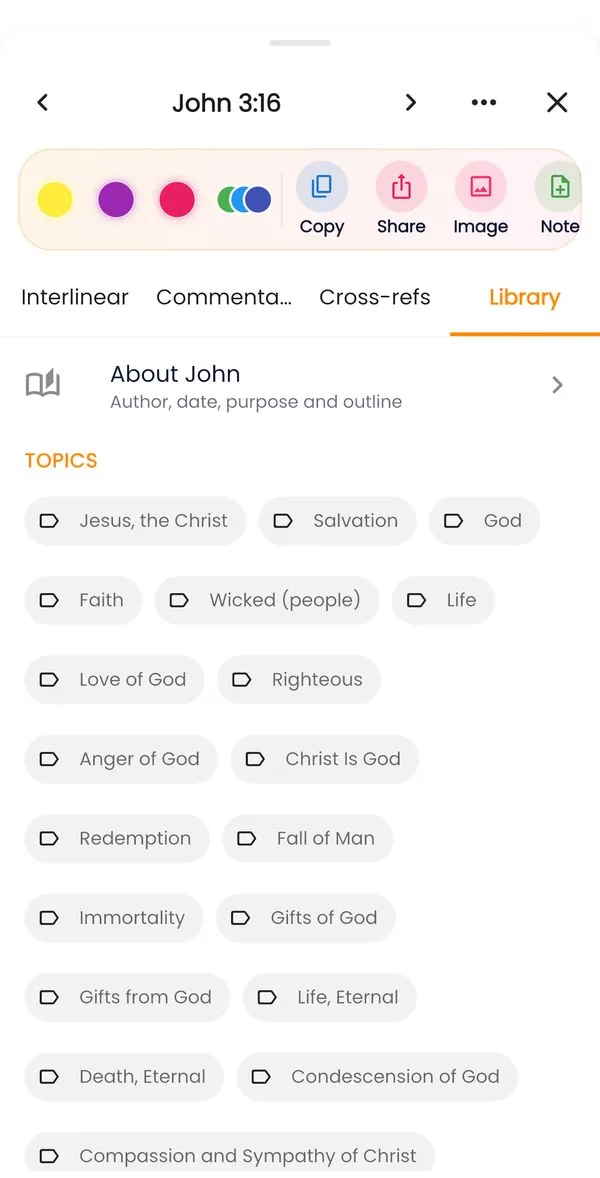
Tap any verse for the original Hebrew and Greek, word studies, four commentaries, cross-references and a topical Library.

Listen

The Audio Bible chapter by chapter, plus 648 Bible and faith stories to read and listen to, with speed control, a sleep timer and offline downloads.

Grow

Guided Study Plans, classic devotionals, a study journal, Scripture memory and reminders that build a lasting habit.

Everything is connected. From a single verse you can open its original words, read what the commentators wrote, follow it through the rest of the Bible, look up the people and places in it, write about it in your journal and learn it by heart. Edify is built on trusted, freely licensed sources — STEPBible, OpenBible.info and the classic public-domain works of Nave, Torrey, Easton, Smith, Matthew Henry and others — so what you study rests on solid ground.

Features

Tap a verse. Open a whole library.

The study panel is the heart of Edify. Tap any verse in the reader and it slides up — beside the text on a tablet — with five tools. Try them:

Every word in the original language

See the verse word by word in Hebrew, Aramaic or Greek, with the transliteration, dictionary form, Strong’s number, grammar and a short English meaning.

How to use the study panel
John 3:16 in the Edify reader with the study panel open on the Interlinear tab: each Greek word with its transliteration, meaning and Strong’s number
The Library

A reference shelf that fits in your pocket

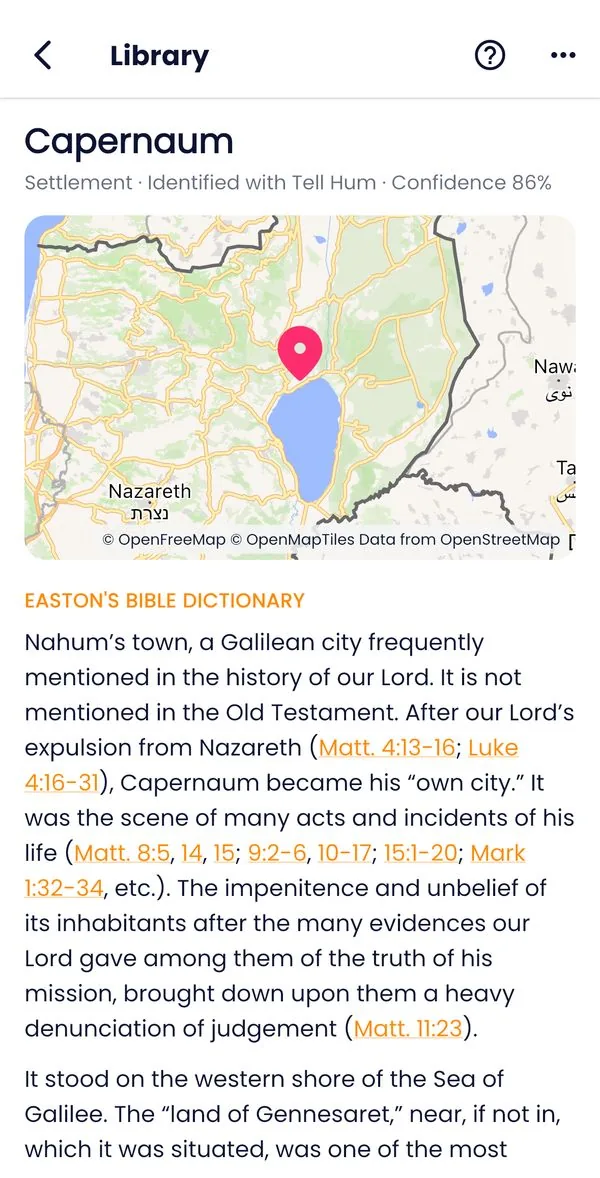
Thousands of topics with every verse on them, Bible dictionaries, people, places on a map and an introduction to each of the 66 books — all offline after one small download.

  • Topics from Nave’s Topical Bible and Torrey’s Topical Textbook, grouped into subtopics
  • Easton’s and Smith’s Bible Dictionaries and Hitchcock’s Bible Names
  • People, with the meaning of their names and key passages
  • Places on a map, from OpenBible.info geography
  • Search everything at once, and send a topic’s verses to your journal
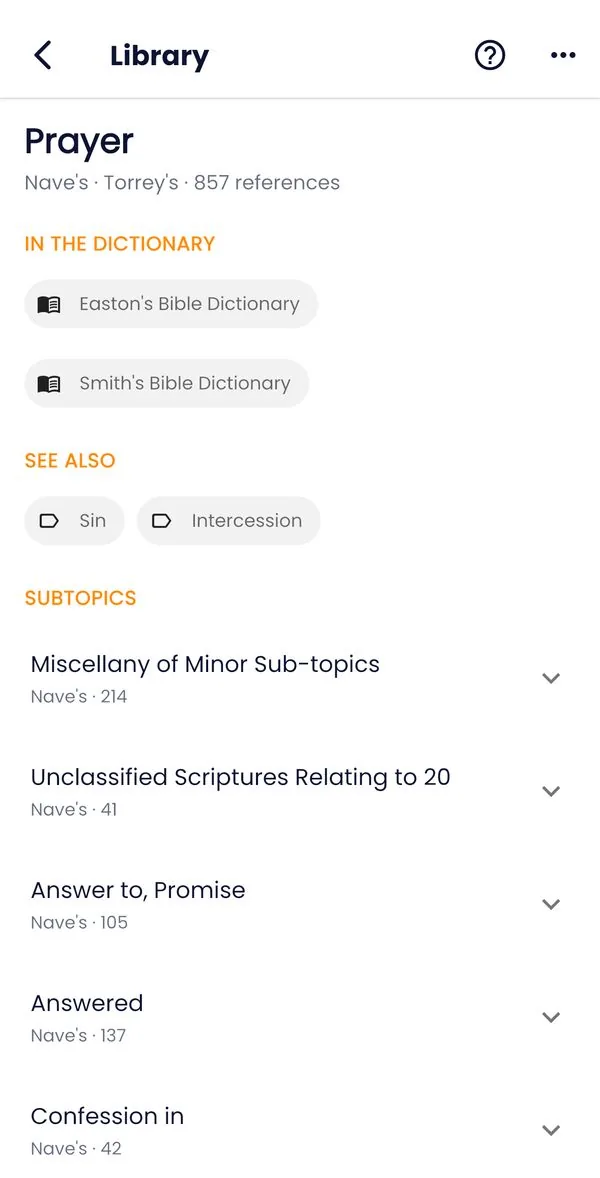
Library topic Prayer from Nave’s and Torrey’s with 857 references grouped into subtopics
Library place Capernaum on a map by the Sea of Galilee with the Easton Bible Dictionary article
Study Plans

100+ guided Study Plans that go deeper every day

Plans by length, theme and type — topical, character and book studies. Each day brings the reading, a short devotional, a prayer and a reflection question.

  • Read Now, Listen Now, or Study Deeper with the study panel on the day’s key verse
  • Reflect opens your journal with the day’s question ready
  • A daily reminder at the time you choose opens the day’s passages
  • Create your own plan from any passages — for yourself or a group
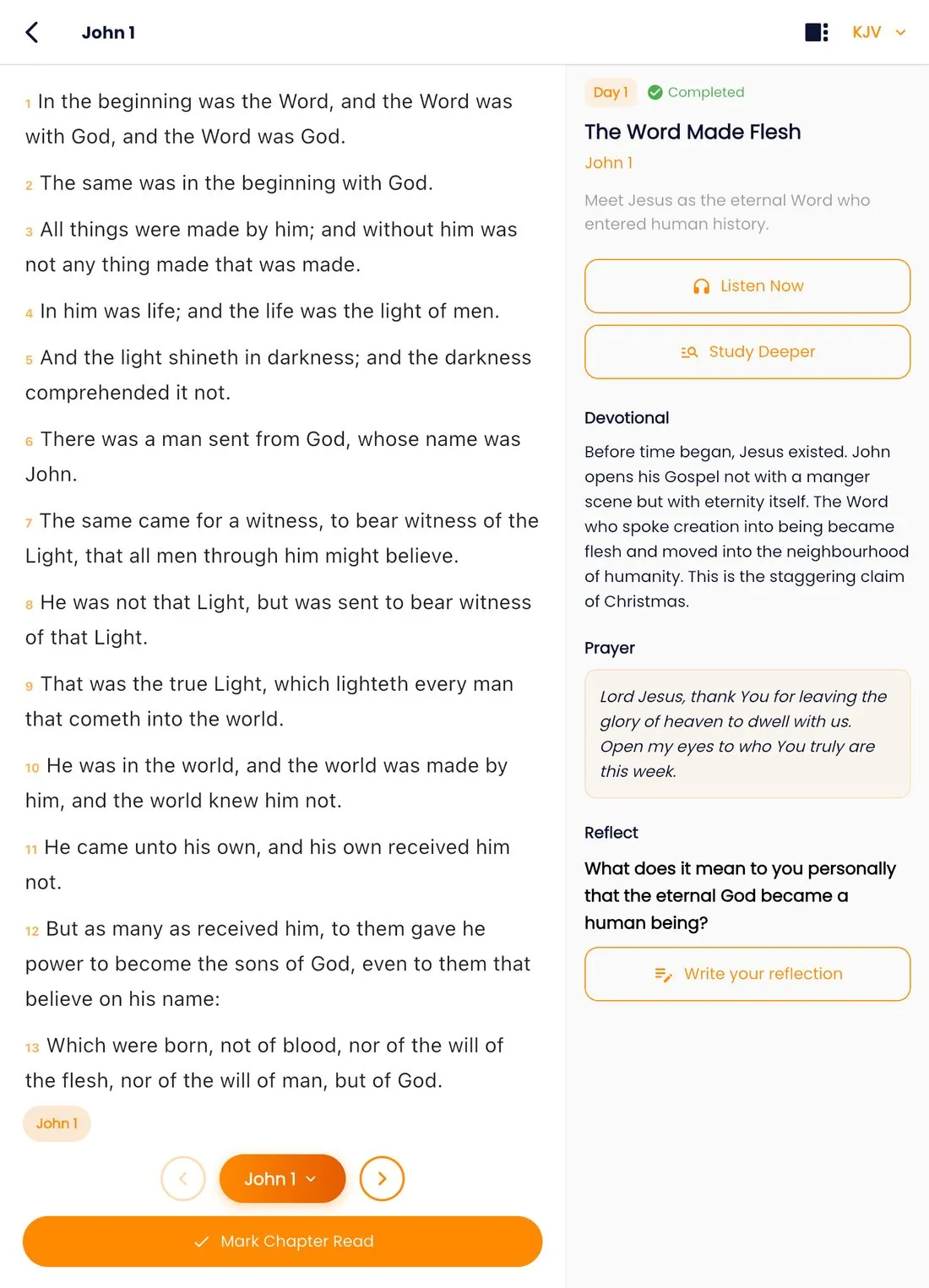
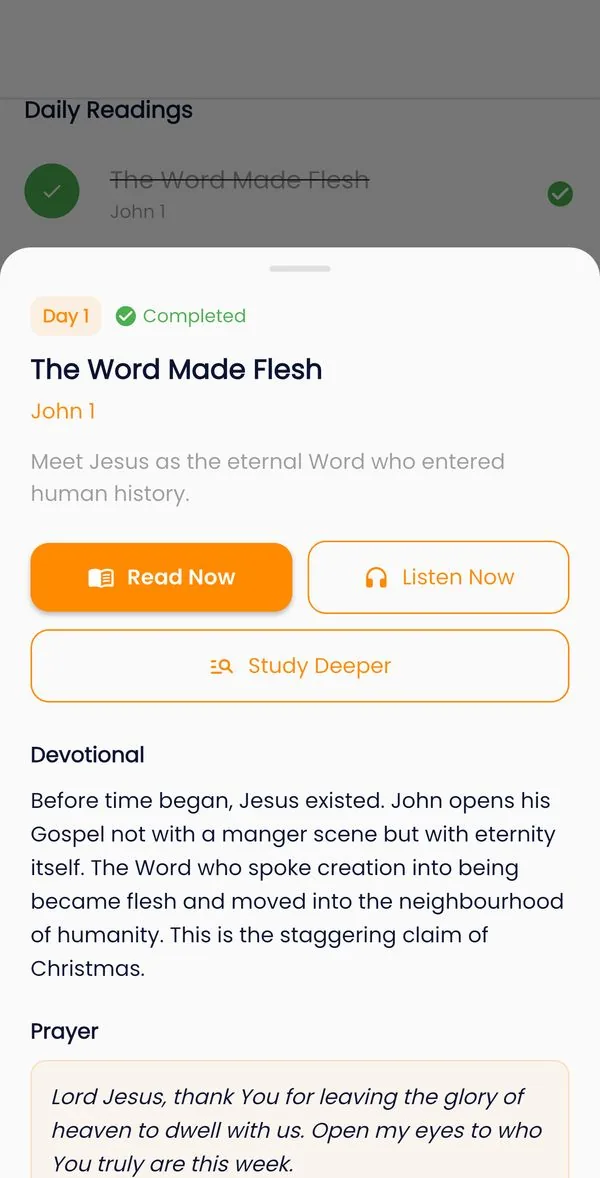
A Study Plan day, The Word Made Flesh (John 1), with Read Now, Listen Now and Study Deeper buttons, a devotional and a prayer
Study Plans tab with plan covers grouped into Quick Study, Two-Week Plans and Deep Study
Daily devotionals

Begin each day with the saints of old

Classic daily readings — such as Spurgeon’s Morning and Evening and Daily Light on the Daily Path — waiting on your Home screen every morning, with tappable Scripture references.

  • A daily devotional notification, on by default and easy to change
  • Memorize the day’s key verse with one tap
  • Write a response in your journal straight from the reading
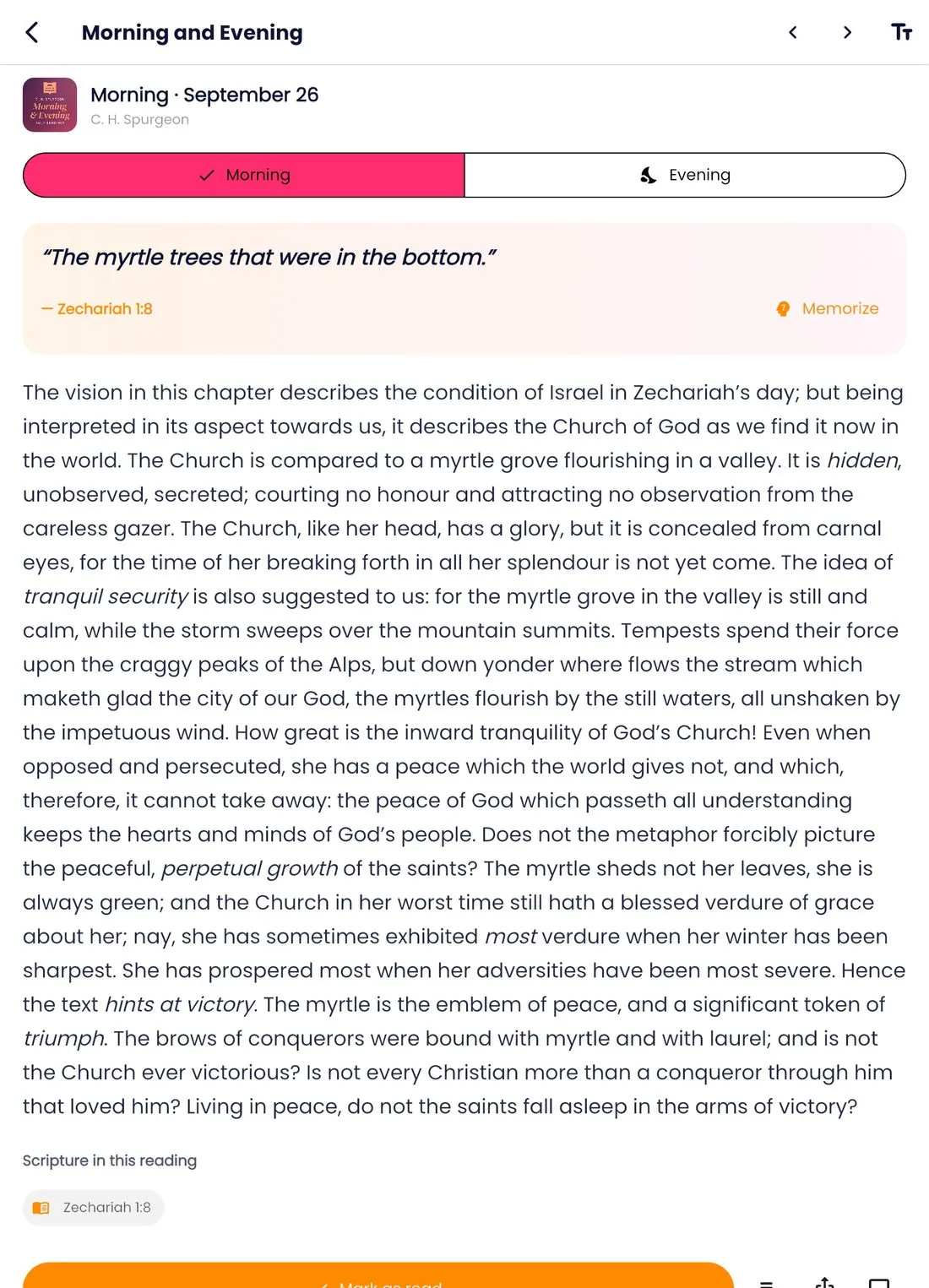
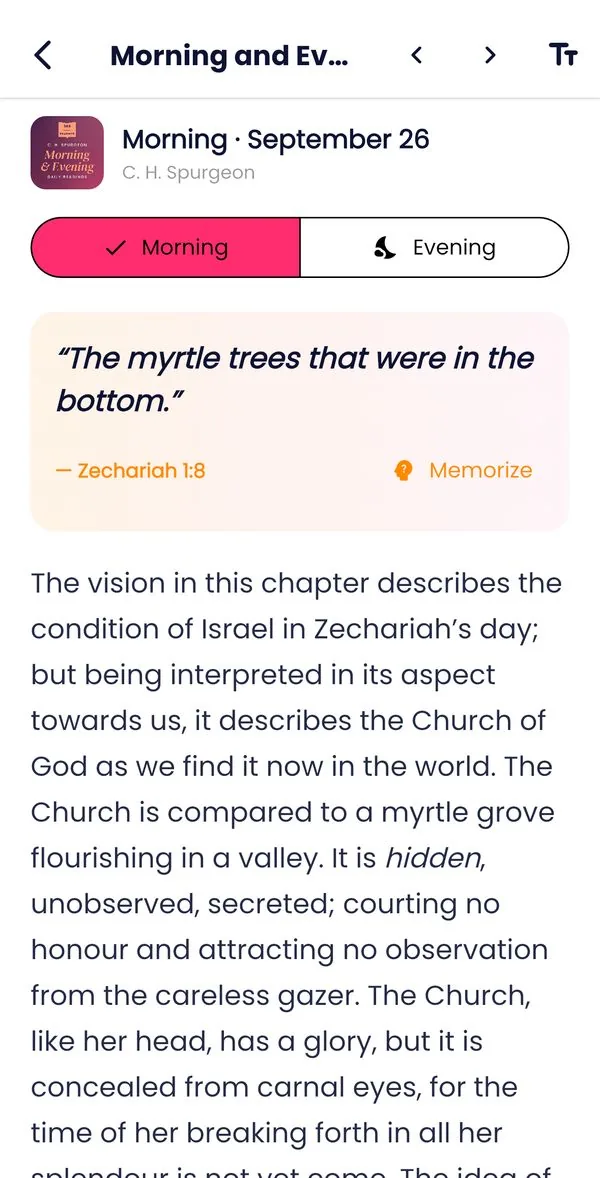
Spurgeon’s Morning and Evening devotional for September 26 with its key verse and a Memorize button
Study Journal

Where study turns into understanding

Write from a verse, a plan day or a devotional. Every entry is linked to its passage, and a small marker in the reader shows the verses you have written about.

  • SOAP: Scripture, Observation, Application, Prayer
  • Inductive: Observe, Interpret, Apply
  • Free-form for sermon notes, questions and prayers
  • Search your journal to find what you learned months ago
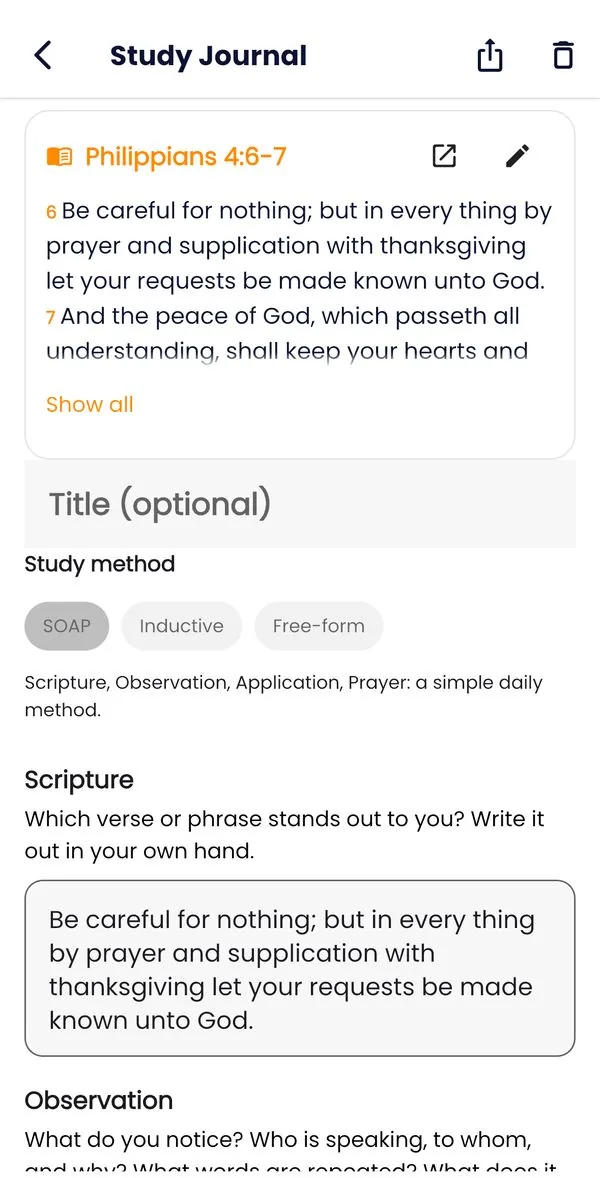
A SOAP study journal entry on Philippians 4:6-7 with Scripture, Observation, Application and Prayer fields
Scripture Memory

Hide God’s Word in your heart

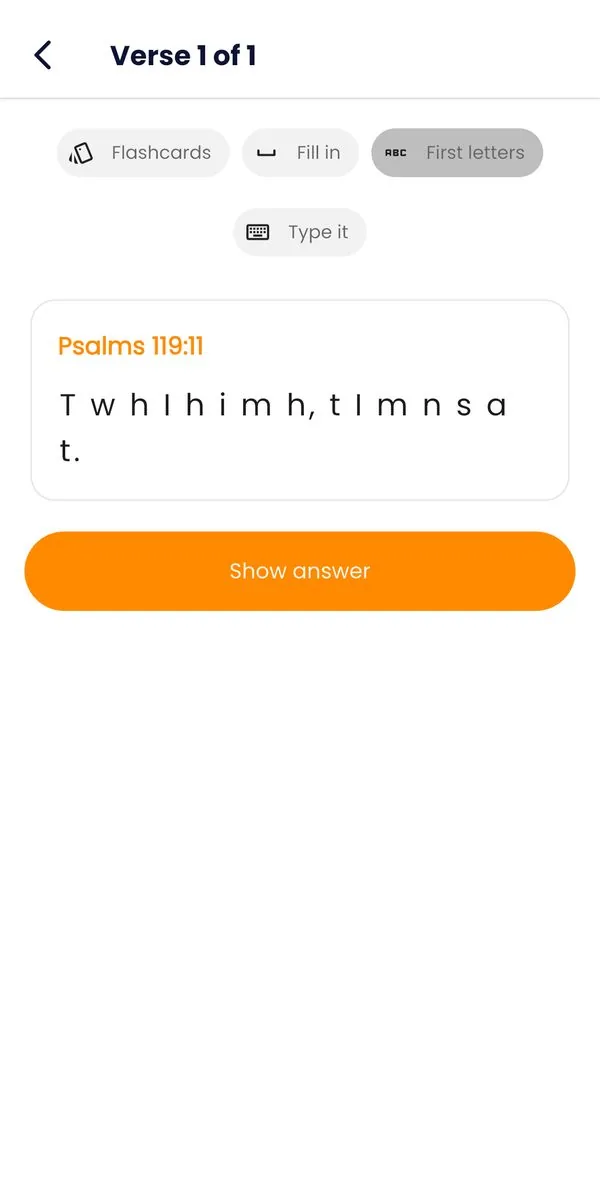
Add a verse from the study panel, a plan’s key verse or a whole memory pack like Salvation or Fear and anxiety. Spaced repetition brings each verse back just before you would forget it.

  • Four ways to practise: Flashcards, Fill in, First letters and Type it
  • Hard verses return sooner; known verses less often, until mastered
  • Verses shown in the translation you read, so you learn the words you know
Scripture memory practice of Psalm 119:11 in First letters mode

And everything else you’d hope for

Compare translations

Read in KJV, BSB, WEB, ASV, YLT and more, and see any verse side by side in other translations.

Highlights, notes & bookmarks

Mark what God is showing you. Everything syncs across your devices when you sign in.

Verse images

Turn a verse into a beautiful picture to share with your church, family or social media.

Works offline

Download translations, the study tools and the Library once; read and study without a connection.

Made for tablets too

On a tablet the study panel and plan days open beside the text, and the app works in split screen.

Study streak

A gentle streak counts your days of study, with one rest day a week forgiven.

Readers Circle

Share reflections, ask questions and encourage other believers in the app’s community.

Ask AI (Premium)

Ask questions about a passage and get thoughtful explanations with tappable references.

Easy on the eyes

Dark mode, adjustable text size and a choice of reading fonts.

  • King James Version
  • Berean Standard Bible
  • World English Bible
  • American Standard Version
  • Young’s Literal Translation
  • Bible in Basic English
  • Darby Bible
  • Geneva Bible 1599
  • Literal Standard Version
  • Majority Standard Bible
  • Revised Version
  • Translation for Translators
  • Webster’s Bible
  • Orthodox Jewish Bible
  • Free Bible Version
  • Unlocked Literal Bible
  • World Messianic Bible
  • World English Bible British Edition
  • ASV Byzantine Text
On iPad & Android tablets

Made for the big screen

On a tablet, Edify becomes a real study desk: the Bible on one side, your study tools, plan or notes on the other. Perfect for the pulpit, the classroom or a quiet morning.

Study Plans beside the Bible

A plan day opens next to the reading: read, listen, study deeper and reflect without leaving the text.

  • Study panel and plan days open beside the text; drag the divider to resize
  • Works in split screen next to your notes or presentation app
  • Portrait and landscape, on iPad and Android tablets
Edify on an iPad: John 1 in the reader with the Study Plan day beside it, with Listen Now, Study Deeper, the devotional, the prayer and a reflection question
For pastors & ministers

From the study to the pulpit — and back into your people’s week

Edify gives pastors, ministers, teachers and Bible school students the tools of a seminary library on the phone in their pocket. Here is one way to prepare a message with it:

  1. Choose the passage

    Read it through in two or three translations with Compare, and listen to it once with the Audio Bible.

  2. Study the key words

    Open the Interlinear, tap the words that carry the meaning, and read the lexicon and concordance for each.

  3. Let Scripture explain Scripture

    Follow the Cross-refs and read the book’s introduction for its author, audience and purpose.

  4. Weigh the commentaries

    Only then compare Matthew Henry, Jamieson-Fausset-Brown, Barnes and Clarke on the same verses.

  5. Write the message

    Keep your outline in a Free-form journal entry linked to the passage, ready for the pulpit.

  6. Carry it into the week

    Make a Study Plan from the sermon’s passages and share verse images so your people keep reading.

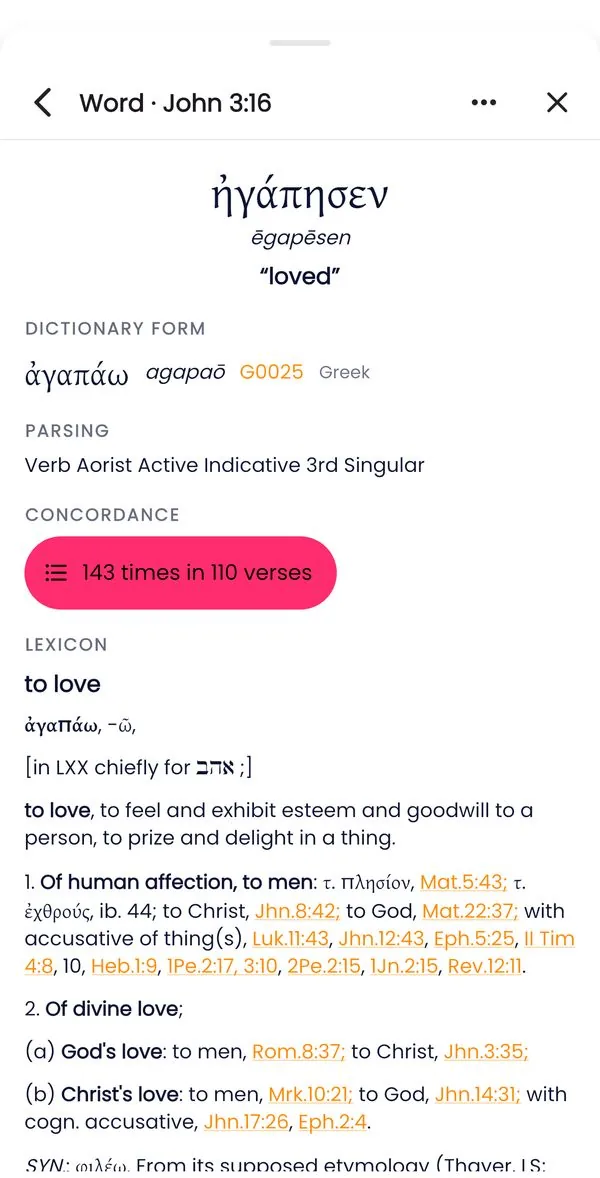
Word study page for the Greek word ēgapēsen (agapaō, G25) with parsing, a concordance of 143 uses and the lexicon entry
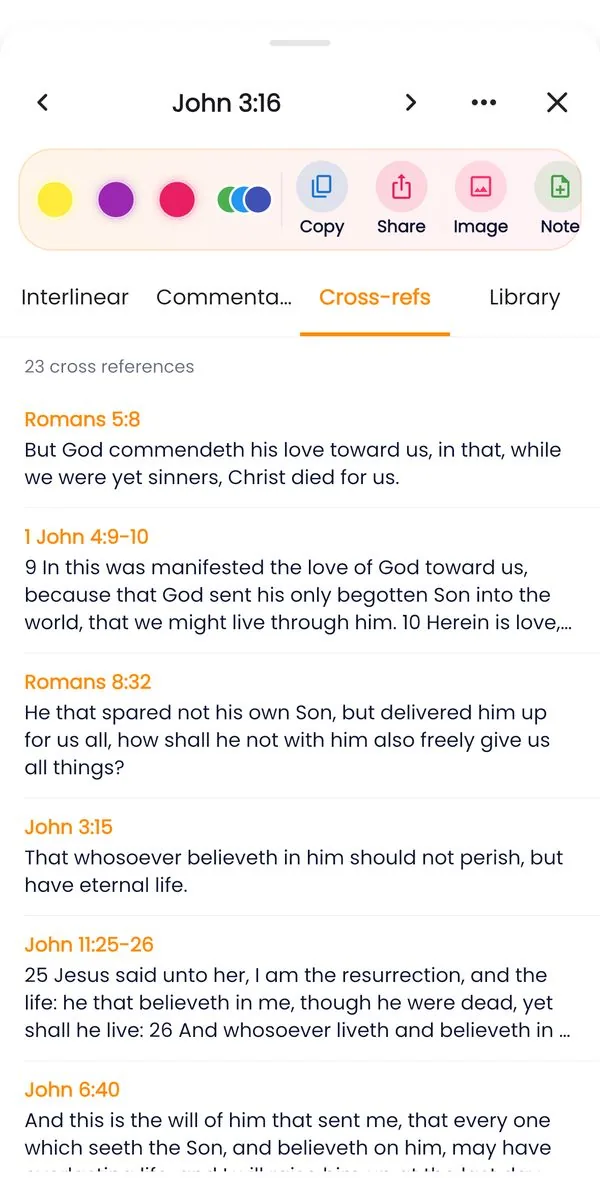
Study panel Cross-refs tab listing 23 cross references for John 3:16, starting with Romans 5:8

Sermon preparation

Original-language word study, four classic commentaries, cross-references and topical indexes in one place — at your desk or on the go.

Teaching & Bible classes

The Study Guide’s step-by-step methods (inductive, topical, character, word and book studies) give your small groups and Bible school a shared way to study.

Discipleship plans

Build a Study Plan from any passages for a sermon series, a new members’ class or a church-wide reading, with daily reminders built in.

Pastoral care & counselling

Find every verse on grief, fear, marriage or forgiveness in the topical Library, and give people memory packs to carry the promises with them.

Reach beyond Sunday

Share verse images and passages to your church’s WhatsApp groups and social media in a couple of taps.

Community

Readers Circle gives your members a place to share what they are learning and encourage one another.

For everyone who wants to grow

A daily rhythm with God’s Word

Growth comes from steady time in Scripture. Edify helps you build it, one small step at a time — and a gentle study streak keeps you going.

  1. Morning

    Read the day’s devotional and pray over its key verse.

  2. Plan reading

    Read or listen to today’s Study Plan passages.

  3. Study deeper

    Tap a verse: original words, commentary and cross-references.

  4. Reflect

    Answer the day’s question in your journal.

  5. Remember

    Review your memory verses in two minutes.

  6. Evening

    Listen to a chapter or a Bible story as the day ends.

Pastors & ministers

Prepare sermons and Bible studies with the tools of a seminary library, and lead your congregation into daily Scripture.

Bible teachers & students

Word studies, commentaries and a searchable journal make Edify a companion for Bible school, Sunday school and personal study.

New believers

Short Study Plans, daily devotionals and Bible stories help you build a steady habit and understand what you read.

Busy believers & families

Listen to the Audio Bible and Bible stories while you commute, work or rest, and share the stories with your children.

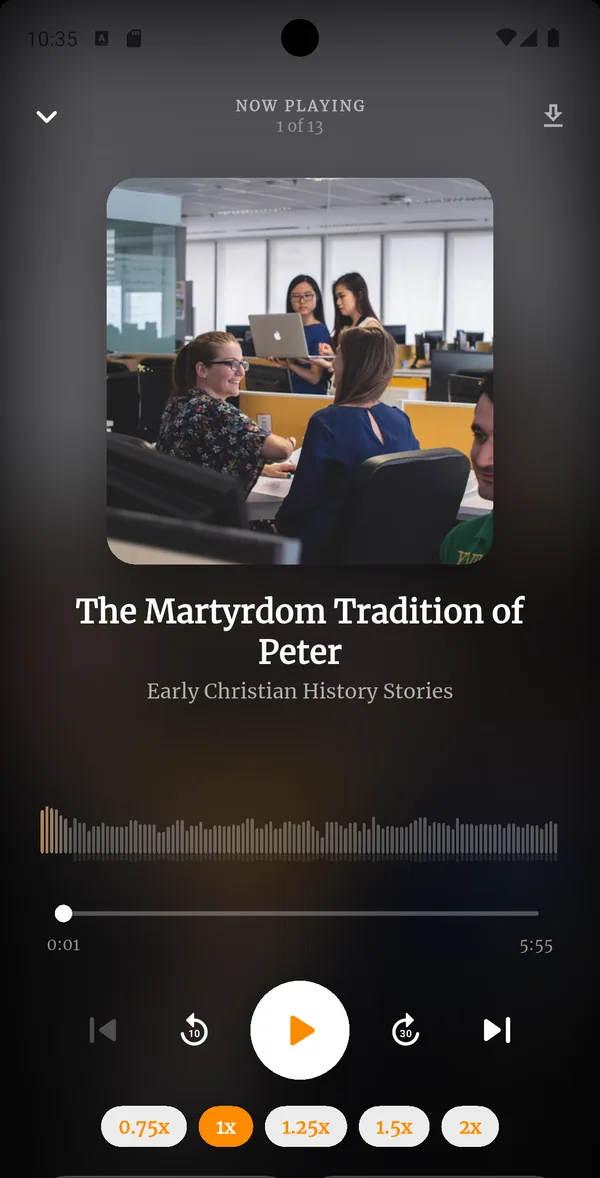
Audio story player for The Martyrdom Tradition of Peter with playback speed options
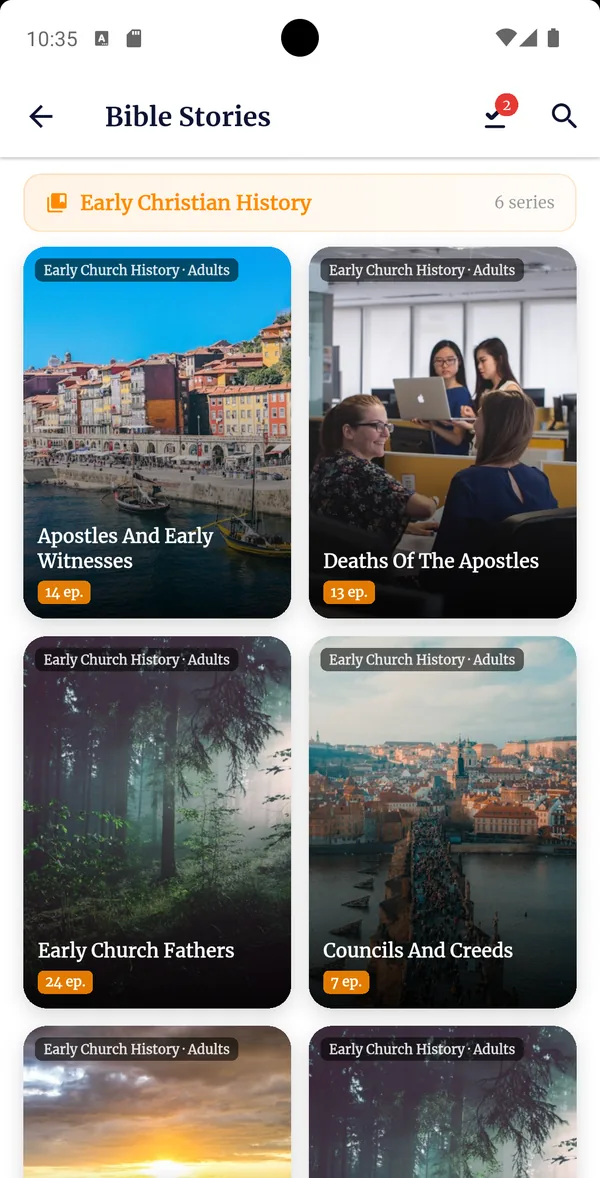
Bible Stories library showing Early Church History stories with cover art
Audio Bible & stories

Let the Word dwell in you, even on the move

When you can’t sit down to read — driving, working, walking or resting — listen. Edify reads the Bible to you chapter by chapter, and tells the great stories of Scripture and church history.

  • The Audio Bible, book by book and chapter by chapter, with Play All
  • 648 Bible and faith stories for adults, families and children
  • Playback speed, 10 and 30-second skips, a sleep timer and calm background sounds
  • Download chapters and stories to listen offline
  • Listen Now on every Study Plan day

Story collections:

  • Bible Stories
  • Ancient Faith
  • Revelation
  • Early Christian History
  • Martyrs
  • Revivals
Free Bible Study Guide

Learn how to study the Bible, step by step

The Edify Bible Study Guide explains every tool in the app and walks you through six proven study methods — perfect for personal study, small groups and training leaders.

Read the Study Guide
  • Inductive studyObserve, interpret and apply one passage.
  • SOAPA ten-minute daily quiet time.
  • Topical studyEverything the Bible says on a subject.
  • Character studyLearn from the lives of David, Ruth and others.
  • Word studyTrace one original word through Scripture.
  • Book studyUnderstand a whole book, like Romans.
Free & Premium

Free for everyone. Premium when you want more.

Everything you need to read, study, listen and grow is free. Premium opens the deepest study tools and extra content. New accounts get 14 days of Premium free.

Free

Free to download and use

  • Bible reader in 19 translations, with compare
  • Interlinear Hebrew & Greek, cross-references and Matthew Henry
  • The Library: topics, dictionaries, people, places and book intros
  • Study Plans, daily devotionals, journal and Scripture memory
  • Audio Bible, highlights, notes and verse images
14 days free

Edify Premium

Everything in Free, plus

  • Full word study: parsing, word parts and the full lexicon entry
  • Concordance of every use of an original word
  • Jamieson-Fausset-Brown, Albert Barnes and Adam Clarke commentaries
  • Premium Study Plans and the full Bible story library
  • Ask AI with a paid subscription
FAQ

Questions, answered

Can’t find what you need? Email support@envisionapps.org.

What is Edify - Bible?

Edify - Bible is a Bible study, Audio Bible and Bible stories app from EnvisionApps. It brings together a Bible reader in 19 translations, study tools in the original Hebrew, Aramaic and Greek, four classic commentaries, a reference Library, 100+ Study Plans, daily devotionals, a study journal, Scripture memory, the Audio Bible and 648 Bible and faith stories.

Is Edify free?

Yes. Edify is free to download, and reading, the Audio Bible, the core study tools, the Library, Study Plans, devotionals, the journal and Scripture memory are free. Edify Premium adds the full word study (parsing, full lexicon and concordance), three more commentaries, premium plans and stories. Ask AI needs a paid subscription. New accounts get 14 days of Premium free (Ask AI not included).

Can pastors use Edify for sermon preparation?

Yes. Pastors and ministers use Edify to study a passage word by word in the original languages, read the lexicon and concordance, follow cross-references, compare Matthew Henry, Jamieson-Fausset-Brown, Barnes and Clarke, keep sermon notes linked to the passage, and turn a sermon series into a Study Plan for the congregation.

Does Edify work offline?

Yes. After a one-time download, downloaded translations, the study tools, the Library and downloaded devotionals work without internet. Your journal, notes and memory verses are always on your device and sync when you are online and signed in.

Which Bible translations are in Edify?

Edify has the King James Version and 18 other freely licensed English translations, including the Berean Standard Bible, World English Bible, American Standard Version, Young’s Literal Translation, Darby, the Geneva Bible and the Literal Standard Version. You can compare any verse across them.

Can I read the Bible in Greek and Hebrew with Edify?

Yes. Tap any verse to see it word by word in Hebrew, Aramaic or Greek with a transliteration, the dictionary form, Strong’s number, grammar and an English meaning, from STEPBible’s tagged texts and lexicons. You do not need to know the languages to use it.

Is there an Audio Bible and are there Bible stories?

Yes. Listen to the Bible chapter by chapter, with playback speed, a sleep timer and downloads for offline listening. Edify also has 648 Bible and faith stories in collections such as Bible Stories, Ancient Faith, Early Christian History, Martyrs and Revivals.

Is Edify available on iPhone and Android?

Edify is on Google Play for Android phones and tablets. The iPhone and iPad version is coming to the App Store.

Where does Edify’s study content come from?

From trusted, freely licensed sources: STEPBible’s tagged Hebrew and Greek texts and lexicons, OpenBible.info cross-references and geography, and classic public-domain works such as Nave, Torrey, Easton, Smith, Hitchcock, Matthew Henry, Jamieson-Fausset-Brown, Barnes and Clarke.

Edify - Bible logo

Open the Word. Let it edify you.

“Thy word is a lamp unto my feet, and a light unto my path.” — Psalm 119:105

Get it onGoogle PlayComing soon toApp Store